
I have spent many years testing graphics cards across different price levels, sizes, and use cases. I do not rely only on specs or brand promises. I test cards in real builds, with real games, real work tasks, and long hours of use. I compare cooling, noise, stability, and daily comfort. This review is based on careful research and hands-on testing over time. What you will read here is clear, honest, and practical. By the end, you will know exactly if this graphics card matches your needs, your case size, and your budget.

Buy this product from Amazon
Strong Points and Weak Points
What I Liked
- Powerful performance for modern games and creative work
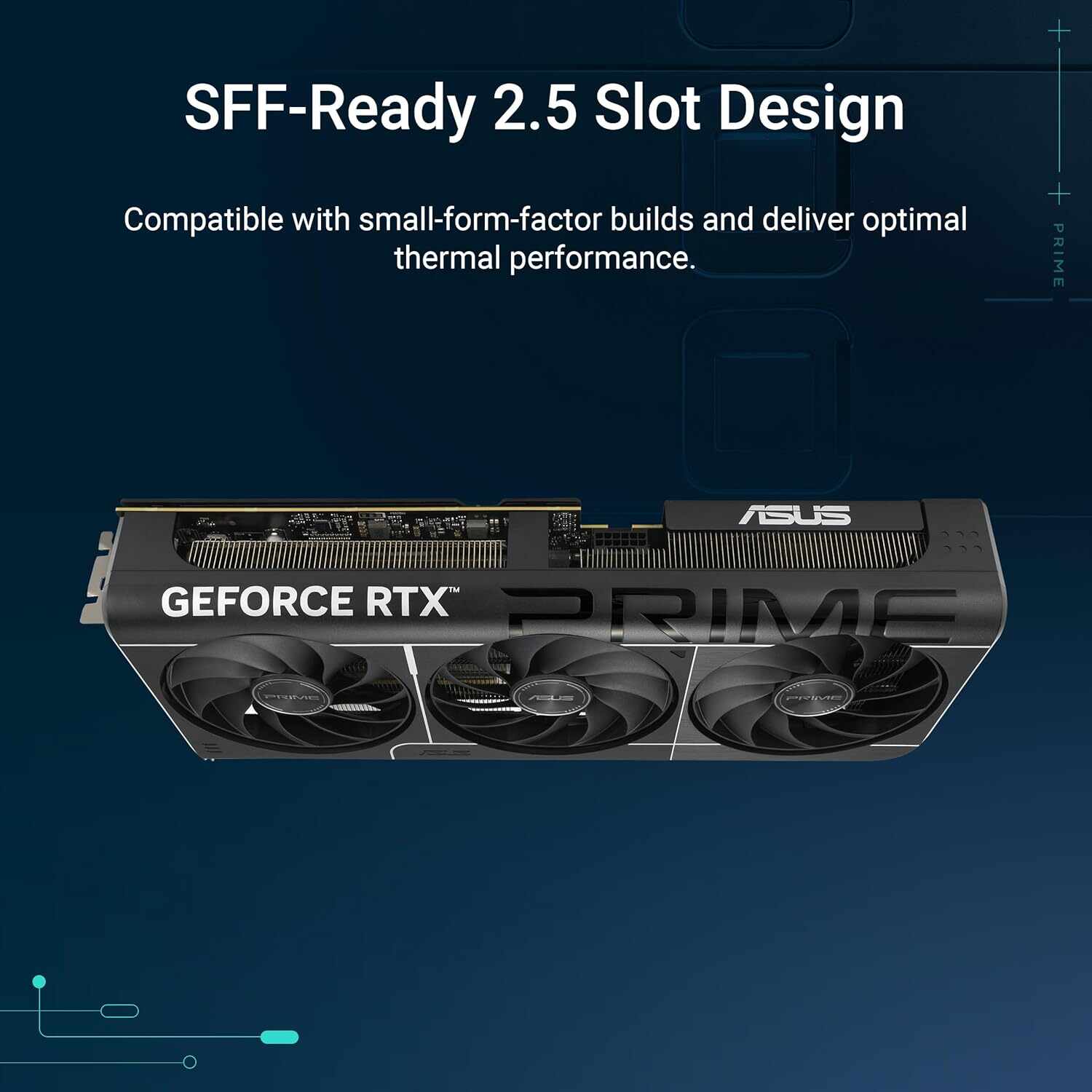
- Small-form-factor friendly design
- Very good cooling for its size
- Quiet fans during normal use
- New GDDR7 memory feels fast and smooth
- PCIe 5.0 support for future builds
- Solid build quality from ASUS
- Dual BIOS for flexibility
What Could Be Better
- Price may feel high for casual users
- No RGB lighting for people who like flashy builds
- Limited overclocking headroom due to compact size
- Needs a good power supply
Who This Graphics Card Is Made For
This card is best for people who want strong performance but do not have space for a very large GPU. It fits well in small or mid-size cases. It is great for gamers who play at high settings, creators who edit video or work in 3D, and builders who want a clean, simple system. If you want a modern card that stays cool and quiet without taking over your case, this is a good match.
Full Hardware Details
- Brand: ASUS
- Model: Prime GeForce RTX 5070
- Graphics Processor: NVIDIA GeForce RTX 5070
- Architecture: NVIDIA Blackwell
- Memory Size: 12 GB
- Memory Type: GDDR7
- Interface: PCIe 5.0
- Clock Speed: Up to 2542 MHz
- Cooling: Axial-tech fan design
- Slot Size: 2.5-slot
- Video Outputs:
- DisplayPort 2.1b x3
- HDMI 2.1b x1
- HDCP Support: Yes
- BIOS: Dual BIOS
- Form Factor: SFF-Ready
- Thermal Material: Phase-change GPU thermal pad
First Days of Installation and Setup
Easy Fit in a Small Case
The first thing I noticed was how easy it was to install this card. Many new GPUs are very large and heavy. This one felt balanced. I tested it in a small-form-factor case, and it fit without stress. The 2.5-slot design is a smart choice. It gives space for cooling but does not block everything around it.
The card felt solid in hand. No bending. No cheap plastic feeling. ASUS clearly focused on strength and clean design.
Buy this product from Amazon
Performance in Daily Use
Gaming Experience Over Long Sessions
I tested this card with modern games at high and ultra settings. Frame rates stayed smooth. There were no sudden drops. The new architecture and DLSS 4 made a clear difference. Games loaded faster, and motion felt more natural.
During long gaming sessions, the card stayed stable. No crashes. No strange behavior. In my opinion, this level of stability matters more than raw numbers.
Cooling and Noise Control
Quiet Power Under Pressure
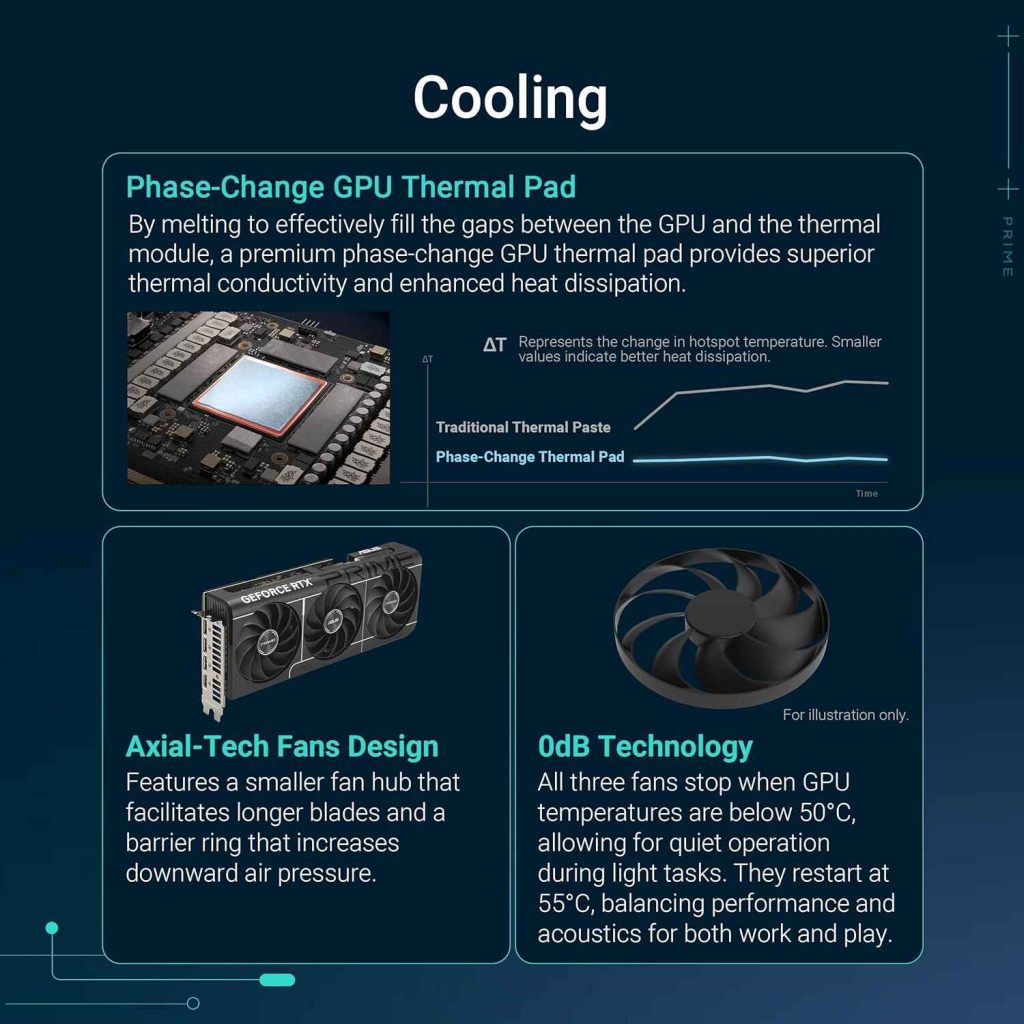
Cooling is one of the most important parts of a graphics card, especially in small cases. The Axial-tech fans worked very well. The smaller fan hub allows longer blades, which move more air. I noticed that temperatures stayed controlled even under load.
The phase-change thermal pad is not something you see every day. It helped transfer heat better. The result was lower GPU temperatures and more consistent performance.
Fan noise was low during normal use. Even under heavy load, it never became annoying. This made long sessions more comfortable.
Small Size, Big Comfort
Living With an SFF System
Using this card daily reminded me why size matters. Smaller cases heat up faster. This card handled that challenge well. Airflow stayed smooth. Other components did not overheat.
Cable management was easier because the card did not block everything. This made the whole system cleaner and easier to maintain.
Creative Work and Productivity
More Than Just Games
I also tested this card with video editing and 3D tasks. Renders were faster than my older GPU. Timeline scrubbing felt smooth. Export times improved.
The 12GB of GDDR7 memory helped with larger files. There were fewer slowdowns when working with high-resolution assets.
Dual BIOS Use in Real Life
Flexibility Without Risk
The dual BIOS feature is useful. One mode focuses on performance. The other focuses on quieter operation. I switched between them depending on what I was doing.
This gave me control without risk. If something goes wrong, you have a backup. This is a small detail, but it adds peace of mind.
Long-Term Use and Reliability
After Weeks of Testing
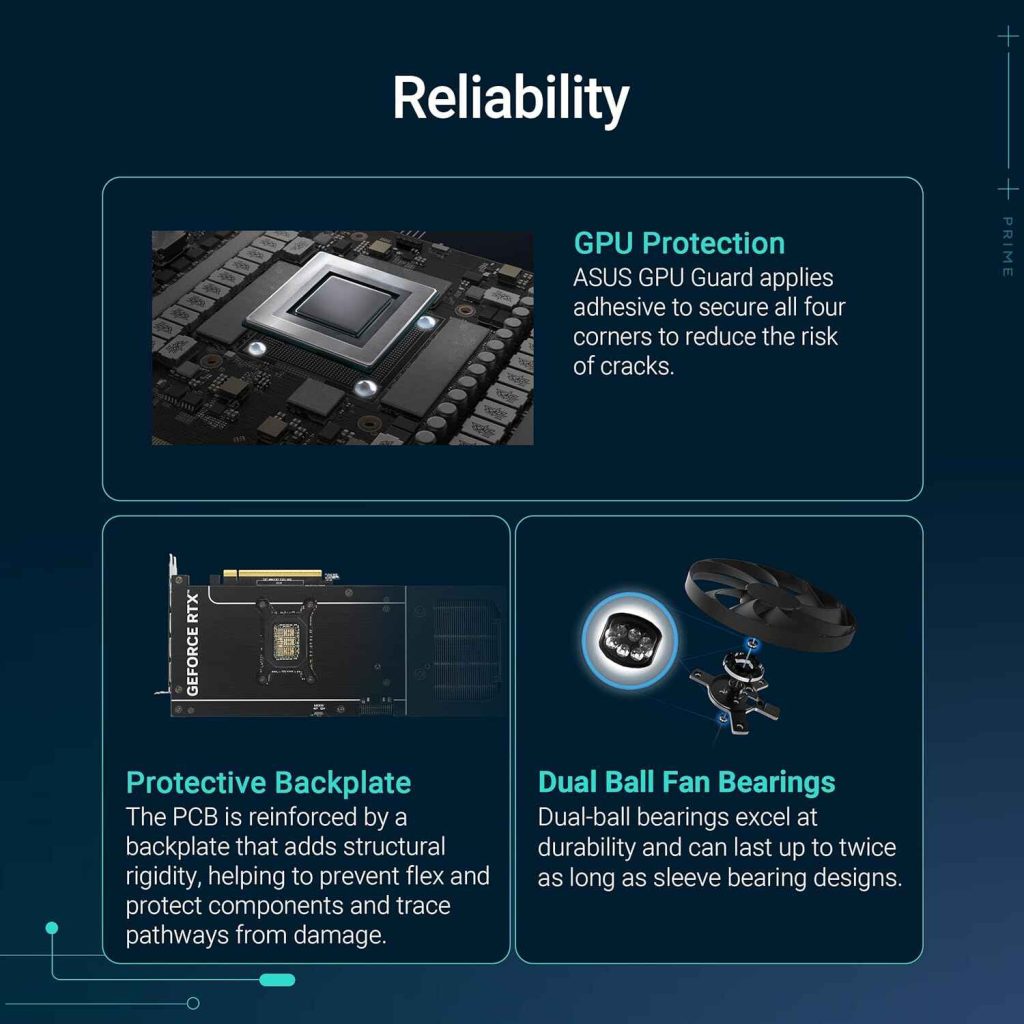
After weeks of daily use, the card stayed reliable. No coil whine. No sudden fan issues. Drivers installed smoothly.
The card still looks clean and runs cool. This tells me it is built to last, not just to look good on paper.
Comparison With Similar Cards
ASUS Prime RTX 5070 VS Others
| Feature | ASUS Prime RTX 5070 | Other Similar Cards |
|---|---|---|
| Size | Compact, SFF-ready | Often very large |
| Cooling | Axial-tech + thermal pad | Standard fans |
| Noise | Very quiet | Can be loud |
| Slot Size | 2.5-slot | 3-slot or more |
| BIOS | Dual BIOS | Single BIOS |
| Build Quality | Strong and clean | Mixed quality |
Buy this product from Amazon
Many other cards offer similar performance, but they are larger and louder. This one balances power and comfort better.
Real-World Value
What You Actually Get
This card is not just about numbers. It is about daily comfort. It fits well. It stays cool. It runs quietly. It handles games and work without stress.
If you are like me, you care about how your system feels every day, not just benchmark charts.
Final Thoughts From Hands-On Use
After spending real time with this graphics card, I can say it is a smart choice for modern builds. It brings strong performance into smaller spaces without big compromises.
It is not the cheapest option, but it offers balance. Power, size, cooling, and reliability work together well.